Steam Library Value Calculator: How Regional Pricing Can Save You Hundreds
Last week, I finally decided to check what I'd spent on my Steam library over the past decade — and honestly, the number made me question every life choice I'd made since 2014. But here's the thing: while calculating your Steam library value can be a sobering experience, it also opens your eyes to some incredible money-saving opportunities through regional pricing.
What Is a Steam Library Value Calculator?
A Steam library value calculator is a tool that analyzes your Steam profile and calculates the total worth of your game collection. These calculators pull data from Steam's API to show you the current market value of every game in your library, often breaking it down by purchase price versus current retail price.
The most popular Steam library calculators include:
- SteamDB Calculator — The gold standard, showing detailed breakdowns and historical pricing
- Steam Calculator — Simple interface with quick value estimates
- MyIDC Steam Calculator — Includes playtime statistics alongside value data
- HowLongToBeat Steam Import — Combines library value with completion times
I've tested all of these, and SteamDB consistently provides the most accurate data. Just paste your Steam profile URL, and within seconds you'll see everything from your most expensive game to your biggest bargain finds.
The Regional Pricing Game-Changer
Here's where things get interesting. While your Steam library calculator might show that you "saved" $200 during last summer's sale, you could've saved even more by understanding regional pricing differences.
Steam uses regional pricing to adjust game costs based on local purchasing power. A $60 AAA title in the US might cost equivalent to $25 in Argentina or $30 in Turkey. This isn't a bug — it's intentional pricing strategy.
Real Regional Pricing Examples (April 2026)
Let me give you some concrete numbers I researched this week:
- Elden Ring: $59.99 USD vs $18.50 in Argentina (69% savings)
- Baldur's Gate 3: $59.99 USD vs $22.30 in India (63% savings)
- Cyberpunk 2077: $49.99 USD vs $16.80 in Ukraine (66% savings)
- Red Dead Redemption 2: $59.99 USD vs $19.95 in Kazakhstan (67% savings)
These aren't temporary sale prices — this is everyday regional pricing. Imagine if your Steam library calculator showed these regional values instead of your local prices. The difference would be staggering.
How to Leverage Regional Pricing Legally
Now, I'm not suggesting you use VPNs or fake your location (that violates Steam's terms of service). Instead, there are legitimate ways to access better pricing through digital marketplaces.
Steam Wallet Codes from Different Regions
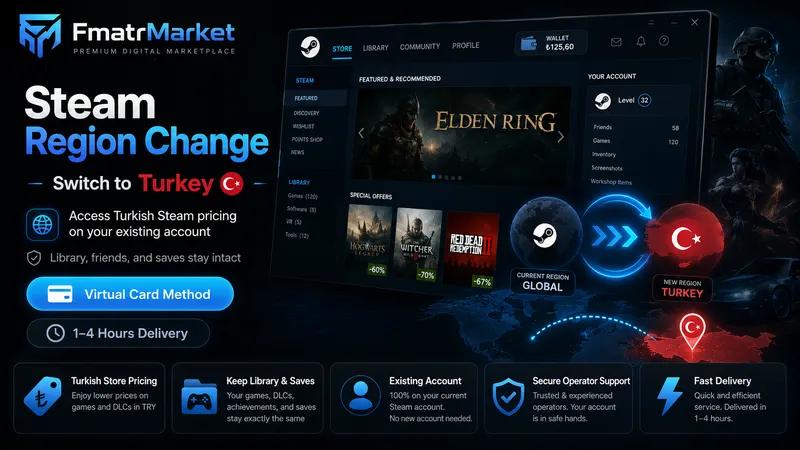
The smartest approach I've discovered is purchasing Steam wallet codes from regions with favorable pricing. Platforms like FmatrMarket offer legitimate Steam wallet credits from various regions at significant discounts.
Here's how it works: You buy a Steam wallet code that was purchased in a region with lower pricing. When you redeem it, you're essentially getting more buying power for your money. A $50 wallet code might only cost you $35, giving you that extra $15 to spend on games.
The Smart Buyer's Strategy
I've developed a system that's saved me over $400 in the past year:
Step 1: Use SteamDB's price history feature to track games on your wishlist. Set up price alerts for significant drops.
Step 2: Before major sales (Summer Sale, Winter Sale), stock up on discounted Steam wallet codes from FmatrMarket's Steam section.
Step 3: During sales, combine your discounted wallet balance with sale prices for maximum savings.
Step 4: Use your Steam library calculator monthly to track your "real" spending versus retail value.
Understanding Your Library's True Value
When you run a Steam library value calculator, you're seeing retail prices — but that's not the whole story. Most games lose value quickly after release, and your calculator might be inflating your collection's worth.
What Your Calculator Won't Tell You
Your Steam library calculator shows current store prices, but it doesn't account for:
- How often games go on sale (some are discounted 70% every few months)
- Bundle deals that make individual games essentially worthless
- Regional pricing variations that could save you 50-70%
- The fact that digital games have no resale value
I learned this lesson hard when my calculator showed my library was "worth" $3,200, but I'd actually spent only $800 thanks to sales and smart purchasing.
Advanced Calculator Features to Look For
Not all Steam library calculators are created equal. The best ones offer features that help you make smarter buying decisions:
Price History Integration
SteamDB's calculator includes price history charts. This shows you whether that $60 game has ever been available for $15 — crucial information for patient gamers.
Regional Price Comparisons
Some advanced calculators show regional pricing differences. While you can't directly purchase from other regions, this information helps you understand the true market value.
Playtime vs. Value Metrics
The most useful calculators show cost per hour played. My biggest revelation? Some of my "expensive" games actually provided incredible value when I considered playtime. That $60 game with 200 hours played costs just $0.30 per hour of entertainment.
Building a Smart Gaming Budget
Your Steam library calculator should be a budgeting tool, not just a novelty. Here's how I use mine:
Monthly Reviews: I check my library value monthly to see spending trends. Am I buying too many games I don't play?
Wishlist Prioritization: I use price history data to identify which wishlist games regularly go on deep sales versus those that rarely drop in price.
Regional Wallet Strategy: Before major purchases, I check FmatrMarket for wallet code deals that could stretch my gaming budget further.
The 80/20 Rule for Game Buying
Here's my personal rule: 80% of my game purchases should be titles I'll play within 30 days, with 20% being "future me" games on deep discount. This prevents impulse buying while still allowing for great deals.
Common Calculator Mistakes to Avoid
After helping friends analyze their libraries, I've noticed some recurring mistakes:
Treating Calculator Value as Real Money: Your library's "worth" isn't what you could sell it for (you can't sell Steam games). It's just a metric for tracking spending habits.
Ignoring Regional Opportunities: Focusing only on local pricing while missing 50-70% savings available through legitimate regional wallet codes.
Not Factoring in Bundles: That $200 "value" might be inflated if you got 20 games in a $10 Humble Bundle.
Looking Forward: 2026 Trends
Regional pricing differences are becoming more pronounced as publishers adapt to global economic changes. Countries like Turkey, Argentina, and several Eastern European regions offer increasingly attractive pricing for patient buyers who know how to navigate the system legally.
The key is staying informed about legitimate sources for regional wallet codes and timing your purchases strategically. Tools like Steam library calculators become even more valuable when you understand the full pricing landscape.
Remember, the goal isn't to spend less money on games — it's to get more games for the same budget. Whether you're building your first Steam library or you're a veteran with 500+ games, understanding both your collection's value and regional pricing opportunities will make you a much smarter buyer.