How to Buy Spotify Premium with Crypto: Security Tips for Turkey Regional Pricing
Last month, I helped a friend buy Spotify Premium using Bitcoin, and honestly? It was a game-changer. Not only did we get it for a fraction of the US price through Turkey regional pricing, but the entire process was anonymous and secure. However, I've also seen people lose money by not following basic crypto security practices.
If you're looking to buy Spotify with crypto — whether it's Bitcoin, Ethereum, or USDT — this guide will walk you through the essential security measures that'll keep your funds and personal data safe.
Why People Choose Crypto for Spotify Premium Purchases
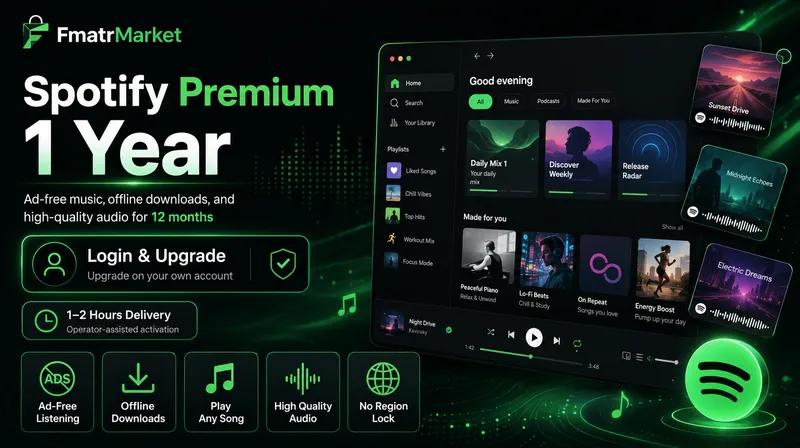
The appeal is obvious: privacy, lower fees, and access to regional pricing that can save you 60-70% compared to standard US rates. When you buy Spotify Premium through services like FmatrMarket, you're essentially leveraging Turkey's pricing structure while maintaining complete anonymity.
But here's the thing — with great power comes great responsibility. Cryptocurrency transactions are irreversible, which means if something goes wrong, you can't just call your bank for a chargeback.
Essential Security Tips Before Making Any Crypto Purchase
1. Verify the Platform's Legitimacy
Before sending any crypto, do your homework. Look for platforms with:
- Established user reviews on Reddit and Trustpilot
- Clear contact information and customer support
- SSL certificates (that little lock icon in your browser)
- Transparent refund and dispute policies
I always check r/cryptocurrency and similar forums for recent discussions about any platform I'm considering. Real users share genuine experiences there.
2. Use a Separate Wallet for Purchases
Never — and I mean NEVER — send crypto directly from your main exchange account. Create a separate wallet specifically for these transactions. This creates an additional layer of privacy and protects your main holdings if something goes wrong.
Popular options include:
- MetaMask for Ethereum-based transactions
- Electrum for Bitcoin
- Trust Wallet for multiple cryptocurrencies
3. Start Small and Test First
Here's a pro tip that's saved me multiple times: always do a small test transaction first. Send the minimum amount possible to verify everything works correctly before committing to larger purchases.
Comparing Crypto-Friendly Platforms for Spotify Premium
| Platform | Accepted Crypto | Turkey Pricing | Delivery Time | User Reviews |
|---|---|---|---|---|
| FmatrMarket | BTC, ETH, USDT, LTC | $12-15/year | 1-24 hours | 4.8/5 |
| Generic Reseller A | BTC only | $18-22/year | 2-48 hours | 4.2/5 |
| Generic Reseller B | BTC, ETH | $20-25/year | 12-72 hours | 3.9/5 |
Step-by-Step Secure Purchase Process
1. Calculate Total Costs
Don't forget about transaction fees! Bitcoin fees can range from $1-20 depending on network congestion, while Ethereum fees vary wildly. USDT on Tron network typically offers the lowest fees (around $1-3).
2. Use Proper Transaction Settings
When sending crypto:
- Double-check the recipient address (seriously, triple-check it)
- Set appropriate gas fees — too low and your transaction might get stuck
- Include any required memo or tag information
- Screenshot everything for your records
3. Monitor Your Transaction
Use blockchain explorers to track your payment:
- Blockchain.info for Bitcoin
- Etherscan.io for Ethereum
- Tronscan.org for USDT-TRC20
Most reputable platforms will provide you with a transaction hash for tracking.
Red Flags to Avoid
I've seen people get burned by ignoring obvious warning signs. Here's what to watch out for:
- Pressure tactics: "Limited time offer expires in 1 hour!"
- Unrealistic promises: Lifetime Spotify for $5
- No customer support: Only automated responses
- Requesting additional personal info: Why would they need your SSN for Spotify?
- Upfront payments without guarantees: No escrow or protection
Post-Purchase Security Measures
Once you've successfully purchased Spotify Premium, there are a few additional steps I recommend:
Secure Your Spotify Account
- Change your password immediately
- Enable two-factor authentication
- Review connected devices and remove any you don't recognize
- Update your recovery email if necessary
Monitor for Any Issues
Keep an eye on your account for the first few weeks. While most services from reputable platforms like FmatrMarket work flawlessly, it's always good to verify everything functions as expected.
Legal Considerations and Best Practices
Let's address the elephant in the room: is buying Spotify with crypto through regional pricing legal? The answer isn't black and white. While using VPNs to access different regional pricing violates Spotify's Terms of Service, purchasing through legitimate resellers who handle the regional access is generally considered a gray area.
That said, here are some best practices:
- Only use services that don't require you to use VPNs
- Avoid sharing account credentials with third parties
- Keep records of your purchases for tax purposes
- Understand that accounts could potentially be suspended (though this is rare with quality providers)
Alternative Crypto Payment Options
If you're interested in other streaming services, the same security principles apply. Many platforms now accept crypto for YouTube Premium, Discord Nitro, and other digital subscriptions.
For a comprehensive overview of crypto-friendly subscription services, check out our detailed guide on crypto payment options for streaming platforms.
Troubleshooting Common Issues
Even with perfect security measures, things can sometimes go wrong. Here's how to handle common problems:
Transaction Stuck or Unconfirmed
If your crypto transaction isn't confirming, don't panic. Bitcoin transactions can take hours during high network congestion. Most platforms will wait 24-48 hours before considering a transaction failed.
Wrong Amount Sent
This is why test transactions are crucial. If you send the wrong amount, contact customer support immediately with your transaction hash. Most reputable services will work with you to resolve the issue.
Account Access Issues
If you can't access your Spotify account after purchase, it's usually a simple credential mix-up. Double-check the login information provided and try resetting your password if needed.
Future of Crypto Payments for Subscriptions
The landscape is constantly evolving. Major platforms like Spotify are exploring direct crypto payment integration, which would eliminate the need for third-party services entirely. Until then, following these security guidelines will keep you safe while enjoying significant savings.
For the latest updates on crypto payment acceptance and regional pricing strategies, I recommend following our monthly regional pricing updates.
Final Thoughts
Buying Spotify Premium with crypto isn't just about saving money — it's about maintaining privacy and financial autonomy. But remember, security should always be your top priority. Take the extra few minutes to verify platforms, use proper wallet hygiene, and follow the guidelines I've outlined here.
The combination of crypto payments and Turkey regional pricing can save you hundreds of dollars annually on streaming subscriptions. Just make sure you're doing it safely and responsibly.