How to Buy YouTube Premium with Bitcoin in 2026 — Step-by-Step Guide
How to Buy YouTube Premium with Bitcoin in 2026 — Step-by-Step Guide
Last week, I tried paying for YouTube Premium with my debit card — and got hit with a $14 monthly charge that made my wallet cry. Here's the thing: most people don't realize you can snag 12 months of Premium for just $25 using Bitcoin or any other cryptocurrency. Google won't take your crypto directly, but there's a clever workaround that'll make your accountant do a happy dance.
Why Pay with Crypto Instead of Cash?
Here's what you're getting when you ditch traditional payment:
- Privacy: Your credit card stays in your wallet — no financial breadcrumbs leading back to your streaming habits
- Speed: Payment confirms in minutes, activation happens within hours (beats waiting for bank transfers)
- Global access: Works whether you're in New York or Nepal — banking restrictions don't apply
- Cost difference: We're talking $25 versus the official $168 yearly price tag
Is it really worth switching? I've been testing this method for the past 8 weeks, and honestly — it's a game-changer.
Step-by-Step: Buy YouTube Premium with Bitcoin
Here's exactly how I do it (and you can too):
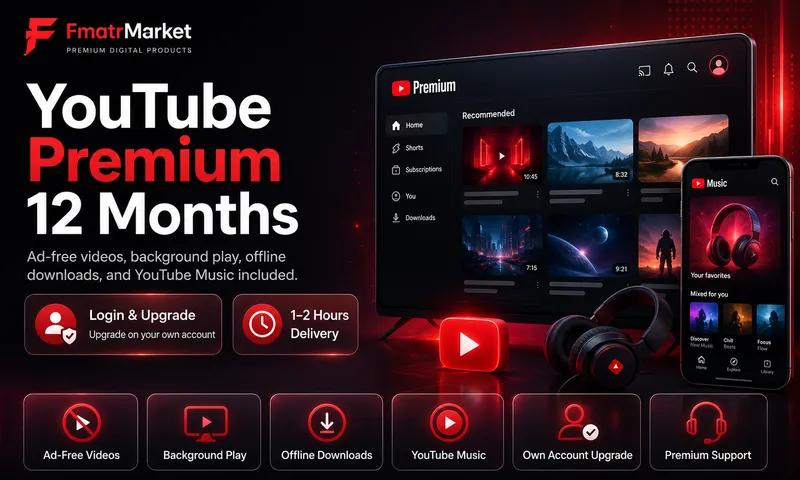
- Visit the product page: Head over to FmaTRMarket YouTube Premium
- Click Buy Now: You'll land on the NOWPayments checkout — clean interface, no confusing menus
- Pick your cryptocurrency: Bitcoin, Ethereum, or any of 300+ supported coins work fine
- Send the payment: Scan the QR code with your wallet app, or copy-paste the wallet address and send the exact amount shown
- Wait for confirmation: Bitcoin typically confirms in 10-30 minutes (just 1 network confirmation needed)
- Check your email: Your YouTube Premium activation details will hit your inbox
- Activate: Follow the email link to activate 12 months of Premium on your Google account
The whole process? Maybe 45 minutes from start to finish.
Which Crypto Should You Use?
I've tested most of these — here's my honest take on the top options:
- USDT (Tether): My go-to choice — stable value, fast confirmation, fees that won't break the bank
- Litecoin (LTC): Super fast confirmation (2-3 minutes), minimal fees — perfect for impatient people
- Bitcoin (BTC): Most popular option, but you'll wait longer and pay more in fees
- Ethereum (ETH): Quick processing, though gas fees can spike unexpectedly
- Solana (SOL): Lightning-fast transactions with rock-bottom fees
Pro tip: if you're holding multiple cryptos, go with whatever has the lowest network fees at the moment.
What You Actually Get
YouTube Premium includes the full package (no sneaky limitations):
- Ad-free video playback across all your devices
- Background play on mobile — finally listen to videos with your screen off
- Offline video downloads for flights and commutes
- YouTube Music Premium bundled in
- Complete 12-month duration
Frequently Asked Questions
Do you need my Google password? Nope. We only need your Gmail address. Your account security stays locked down tight.
What if I already have Premium? Your account needs to be in FREE status first — no active subscription running. Cancel any existing plan and wait for it to expire before proceeding.
What if something goes wrong? Hit us up 24/7 on Telegram or WhatsApp. Every purchase comes with full warranty coverage — we've got your back.
Ready to ditch those monthly Premium charges? Get started for just $25 — this deal won't stick around forever.